
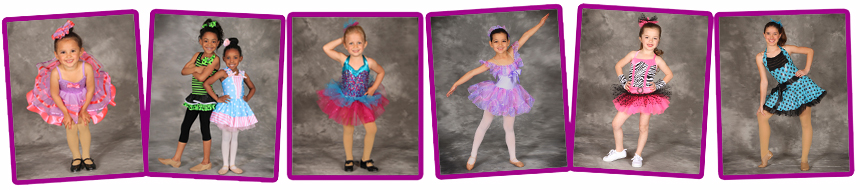
ORDER FORM /
VIEW PORTRAITS 2015
Dance portraits will be taken at the studio during your child's regular class time
Friday, March 20th through Thursday, March 26th. Dancers
should arrive in costume with hair and make-up done according to their
teacher's specifications (see
http://woodstockdance.com/costumes.html
We encourage all dancers to participate in the group photo which will be displayed in the lobby. There is
no charge to be in the group photo and
every student will receive a free copy.
Sitting fees are required for any individual/sibling photos to be taken (please see pricing below, starting at $20).
We will take photos of your dancer in several different poses and post a link on our website to view them online.
Prints can be purchased at a discount through SmugMug (see print prices below). This allows you to mix poses and
sizes and have them shipped directly to your home within 5-7 business days. There is no deadline to order. We will
keep the link on our website for 1 year. Don't forget to send the link to family and friends!
If you need assistance placing your online order, our office staff will be
happy to assist you.
DMA Sitting Fees
●
$20 ONE COSTUME - 1 dancer
or siblings with all poses taken together (a minimum of 3
poses in 1 costume only)
●
$45
THREE COSTUMES - 3 costumes for 1 dancer (a minimum of 3
poses in 3 costumes)
● $35 SIBLINGS A
- 2 dancers with 1 costume each (a minimum of 3
poses of each dancer separately and together)
SmugMug Prints
Wallets (set of 4) - $2.00, 4x6 - $1.00,
5x7 - $2.00, 8x10 - $3.50, 11x14 - $8.00, 16x20 - $19.00, 16x24 - $28.00
CD of high resolution negatives with printing release - $25
(please request this by sending us an email)
Instructions for viewing images and ordering prints:
1) Photos can be viewed online starting
April 13th. Visit
http://woodstockdance.com/photos.htm and click on the link
VIEW PORTRAITS to take you to our school's SmugMug page.
2) Choose the folder for the day of the week your child attends class, locate their class folder by time and class type, then locate the folder with your last name and enter the
password (listed on your order form, please email us if you need the
password again).
*Students in multiple classes or with siblings will be grouped together in the folder of the class that meets the earliest in the week.
3) Select an image to purchase. Click on the 'BUY' button on the top right corner. Select 'THIS PHOTO' from drop down menu. Choose from the sizes and finish types available. To purchase another image, click on the BACK TO PHOTOS button on the bottom left of the page and repeat the process.
4) Once you have made all your selections, click on the CHECKOUT button on the bottom right of the page to see your shopping cart. Review your order and
crop photos as desired by clicking on the
ADJUST button to the right of the image. Proceed to CHECKOUT.